As a backend developer, I've spent the past ten months testing AI coding agents, looking for a tool that can solve problems on its own. Here is how the different models have gone for me over that time:
Models tested:
- Gemini 2.5 Pro (10 months of usage)
- Claude Sonnet 3.7 → 4 → 4.5 (7 months across versions, latest update in October 2025)
- OpenAI GPT series: GPT-o3, GPT-5 variants (varying periods, GPT-5-codex for 7 weeks)
The tools I've been using:
- Cursor: IDE with integrated AI models
- Claude Code CLI: Command-line tool for Claude models
- Codex CLI: OpenAI command-line tool (uses GPT-5-codex model)
- Google AI Studio: Web interface for Gemini

Overview
This review covers the models I have used long enough on backend projects to say something useful about them: Claude Sonnet, Gemini, and the OpenAI GPT series. More powerful models exist, Opus 4.1 among them, but I focused on the tools that are cheaper and more practical for daily work. These are snapshots taken over time rather than definitive scores. The models keep changing, and other people's experience will differ.
Timeline summary
| Period | Model | Status | Duration |
|---|---|---|---|
| Jan to Oct 2025 | Gemini 2.5 Pro | Shifted to brainstorming only | 10 months |
| Feb to Apr 2025 | Claude Sonnet 3.7 | Used for a short period | 3 months |
| Jul to Sep 2025 | Claude Sonnet 4 | Active for small tasks | 3 months |
| Aug 2025 | GPT-o3 | Failed test | Few days |
| Sep 2025 | GPT-5 | Debugging during transition | 4 weeks |
| Sep to Oct 2025 | GPT-5-codex | Primary tool for heavy lifting | 7 weeks |
| Oct 2025 | Claude Sonnet 4.5 | Edits across multiple files | 4 weeks |
Claude Sonnet 3.7 → 4 → 4.5
Time of use: 7 months across versions
Tools: Cursor IDE and Claude Code CLI
Claude Sonnet used to be my primary AI assistant. I started with version 3.7, moved to Sonnet 4, and in October 2025 rolled into Sonnet 4.5. I now lean on GPT-5-codex for the heavy lifting, yet Claude Code stays in daily rotation when I need fast edits and tight tooling.
Advantages
Claude does well on specific, well-defined tasks. Refactoring functions, optimizing queries, and implementing error handling all come back in good shape. It has been useful for applying code review feedback, where it can pick up the context and make the changes. Sonnet 4.5 also added a noticeable speed boost when you edit multiple files with focused, simple changes.
The Claude Code CLI navigates between directories and repositories better, which simplifies work on projects with multiple codebases.
Challenges
On more complex or abstract requirements, the model gives me solutions that are too complicated. It ignores existing components and writes redundant code. If a method already exists and could take an extra argument, Claude will write a new function that does the same job instead of extending the old one. The result is more lines of code, nested loops, and redundant checks. Sonnet 4.5 keeps that pattern: you gain speed, but no extra quality on the hardest tasks.
To work around it I wrote a ruleset file (Claude.md) with over a thousand lines of coding standards and project structure. The model often disregarded the rules anyway, so I had to watch its work constantly and steer it.
Differences between environments
Sonnet 4 in thinking mode inside the Claude Code CLI can produce better solutions for complex problems, whereas in Cursor it may touch parts of the code that have nothing to do with the task. Sonnet 4.5 keeps that split. The CLI gives the most predictable edits while Cursor still feels risky.
Why I still pair Claude Code with Codex
Claude Code keeps a spot in my toolkit because it offers features you still cannot get in Codex CLI. You get a clear bash command permission flow, rollbacks tied to each conversation, quick switches between approval modes, the ability to send a message while the model works, session wide command approvals, agent management, a real plan mode, skills that load context on demand, and sandbox feedback that explains failures. Codex still frustrates me when it keeps asking for the same approvals or when sandbox errors show up without context, and it often prefers Python snippets over bash commands, which makes permissions harder to audit. Those touches make short edits easier even while Codex handles the heavy work. Letting Codex own the deep fixes and Claude Code the rapid polish has been the best balance I have found.
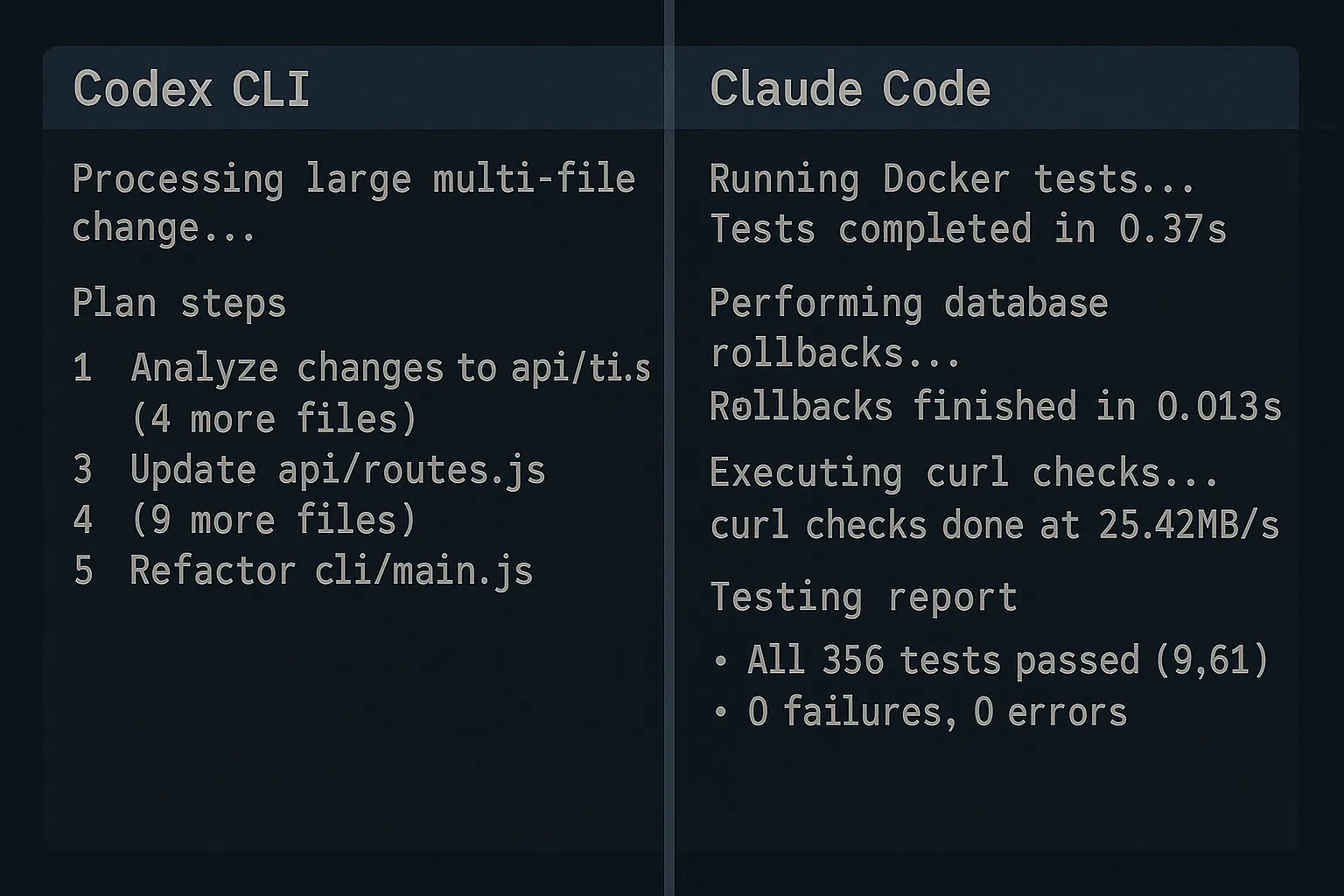
Claude Code now handles most of my testing. I hand Codex the implementation and send the same request to Claude Sonnet with a testing script. It runs inside Docker, tweaks the test database, executes curls, compares results, rolls back migrations, and hands me a clean report. Codex cannot replace that workflow yet, so Claude stays in the loop.
Recommendation
Use Claude Sonnet as an assistant while you stay actively involved in the process. It speeds up routine tasks such as refactoring, writing unit tests, and minor code changes. For complex implementations, keep monitoring and validate the generated code before you trust it.
Gemini 2.5 Pro
Time of use: 10 months
Tools: Google AI Studio, Cursor IDE, and Gemini CLI
Gemini 2.5 Pro is one of the first models I used and tested. After ten months, it still behaves differently from the competition.
Advantages
Gemini is at its best in conceptual work and brainstorming. What I appreciate most is that it pushes back, unlike most models that accept whatever the user suggests. Gemini will stick with its own approach when it thinks that approach is better. That has been worth a lot when making architectural decisions or planning the business side.
Early on, through Cursor, Gemini solved complex problems that Sonnet 3.7 struggled with. I could run long sessions and its context management held up.
Challenges
The quality of the work through Cursor got worse over time. The model started entering endless thinking cycles without producing anything, and hallucinated more often, referencing functions and models that were not in the codebase. Those problems pushed me to try Gemini CLI, which looks powerful on paper with an enormous context window. After the earlier experiences, though, I have not built up enough confidence to use it for critical tasks.
The differences between the environments
- Google AI Studio: Remained reliable for high-level planning and ideation
- Cursor integration: Became unpredictable
- Gemini CLI: Despite impressive specifications, its use is limited because of a lack of confidence
Recommendation
Gemini 2.5 Pro is still my first choice for business discussions and planning, and it earns its place in the early phases of a project. For implementation and coding I would recommend something more predictable.
OpenAI GPT models (o3, GPT-5, GPT-5-codex)
Time of use: Varies by model (GPT-5-codex - 7 weeks, GPT-5 - 4 weeks)
Tools: Cursor IDE and Codex CLI
I've tested several OpenAI models over time, with different experiences depending on version and environment.
GPT-o3 in Cursor
My experience with GPT-o3 was short. After several successful prompts, the tipping point came on a single request: it thought for a long time, made a change, thought again, then undid the exact change it had just made. After that it kept insisting the problem was fixed. That was the end of the O3 model for any work on a production codebase.
GPT-5 in Cursor
GPT-5 was a massive improvement. It reasons well and stays confident navigating a complex codebase, and it holds quality even when the task pushes back or has to be reconsidered. It sometimes needs more processing time, but it has been reliable for debugging and manages context well over longer sessions.
GPT-5-Codex in Codex CLI
When I switched to the Codex CLI I started experimenting with the GPT-5 variants, including GPT-5-codex. That model hits a sweet spot for me and now handles most of my heavy lifting while Claude Code owns the quick edits. The turning point was a production database script. After several hours and multiple iterations, GPT-5-codex produced a working script of roughly 1,000 lines that did exactly what I had specified. It was the first time I could fully trust AI-generated code on a critical task. It followed the design rules and specifications with no deviations.
Challenges
The main drawback of GPT-5-codex is how it handles changes of direction mid-development. When I break from the plan and change approach, it often leaves traces of the old code behind for me to clean up manually. Claude discards old logic more cleanly. Set against the quality GPT-5-codex delivers, this is a minor inconvenience.
Recommendation
For complex tasks that require a deep understanding of the project, GPT-5-codex through the Codex CLI is currently my most powerful tool. Standard GPT-5 through Cursor remains a solid option for debugging. Based on my experience, I would not use GPT-o3 for production work.
Same task, different outputs
To compare the models more objectively, I gave them a production requirement: implement automatic Voice AI call filtering based on statuses from an external system.
GPT-5-codex (via Codex CLI): Its process took the longest, but it produced the most concrete and practical plan. It identified precisely which parts of the code needed to change, proposed a central place for the new logic, and added a few recommendations. It planned to keep the changes as small as possible while still making them count, and laid them out step by step.
Claude Sonnet 4 (via Claude Code CLI): In a short time it produced a system ready for heavy workloads, with entirely new architectural layers and interfaces. The proposal was detailed but far more complex than the task required, as if it were laying the foundation for a new product.
Gemini 2.5 Pro (via Gemini CLI): The quickest answer, and fairly superficial. The output was pseudo-code, a useful snapshot of the idea but not enough to start real development.
Key takeaway
Processing time does not correlate with the quality of the solution. GPT-5-codex was the slowest and gave the most balanced answer, detailed enough to implement without adding noise. Claude is good when you need small clean changes and already know where the fix belongs. Gemini gives quick drafts for prototyping and brainstorming.
Comparison table
| Model | Best for | Strengths | Weaknesses |
|---|---|---|---|
| GPT-5-codex | Complex tasks, implementation, and debugging | Precision, deep code understanding | Slower, awkward when changing direction |
| Claude Sonnet 4 | Routine tasks, minor refactoring | Speed, navigation | Tendency towards complication, disregarding existing logic |
| Claude Sonnet 4.5 | Quick edits across multiple files | Fast on small batches of changes, strong testing workflow | No quality gain on complex work |
| Gemini 2.5 Pro | Brainstorming, architectural decisions, planning | Conceptual thinking, 'pushback' on bad ideas | Unpredictable for coding, prone to hallucinations |
Personal reality check
These agents generate hundreds or thousands of lines of code in minutes. I often cannot read and understand everything they have produced in the time I have. That is both powerful and dangerous, and it is the trade-off with AI-assisted development today: you gain speed and give up some degree of complete understanding.
My approach now
- For critical paths: review every line, with no exceptions
- For boilerplate/tests: check patterns and edge cases
- For exploratory code: run tests instead of line-by-line review
- Always: keep the ability to debug what you didn't write
Which model is the best?
Picking a single winner is difficult because it depends on the use case. Claude Code Sonnet 4.5 stays fast and maneuverable, so I lean on it for quick edits across several files and for running the testing loop. Gemini gives the best support for high-level planning and brainstorming. Codex gives the best results on complex problems that need in-depth knowledge of the project, and on debugging.
There is no single best model. What matters is knowing which one to reach for and when.